
How to Position Your Monitor to Stop Constant Neck Cricking
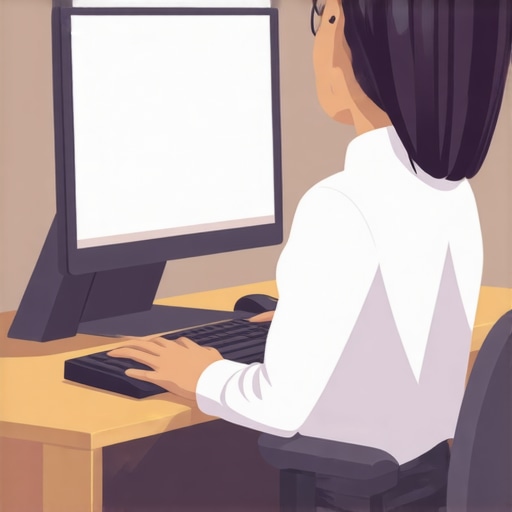
It was a morning just like any other, but today I felt that sharp, jarring pain in my neck that made turning my head a chore. I caught myself cringing every time I looked at my screen, realizing I�d been unknowingly compounding the problem with a poor monitor setup. That moment was a wake-up call. I realized I was no stranger to this pain, and I bet you aren’t either. If you’ve ever felt that sudden tingling or stiffness after a long work session, you’re definitely not alone.
Why Your Monitor Placement Might Be Causing Your Neck Pain
Many folks overlook how their workspace contributes to chronic discomfort. I used to think adjusting my chair or stretching would suffice, but it turned out that the monitor’s position played a bigger role than I imagined. When your screen is too low, too high, or off to the side, your neck starts to bear the brunt of constant misalignment. Over time, this leads to not just nagging pain but also persistent kinks that are hard to shake.
The good news is, with just a few strategic adjustments, you can dramatically reduce or even eliminate this discomfort. Proper monitor positioning isn’t just about comfort; it’s crucial for your long-term spinal health. Studies show that ergonomic workspace setup can decrease neck strain and enhance productivity. So, if you�ve been battling with unrelenting neck jicks, it might be time to reevaluate your monitor placement.
Are you tired of that dull ache creeping into your mornings? Do you dread the afternoon slump caused by tension build-up? If so, you’re in the right place. In the following sections, I�m going to walk you through how to set up your monitor for maximum comfort and minimal strain. No more guesswork—just simple, effective tips that I personally swear by.
But before we dive into the nuts and bolts, let’s address one common concern that I remember dealing with early on. Many people wonder, “Is perfectly positioning my monitor really worth the hassle?” The answer is a resounding yes, especially if you’ve experienced discomfort that worsens over time. But let’s be honest—change can be daunting. The key is to start small and stay consistent.
If you�ve ever faced the frustration of constant neck cricks, then you know how it affects every part of your day. Imagine working without the nagging pain—more focus, better posture, and less time spent stretching or medicating. That�s the goal, and I promise, it�s achievable. So, let�s look at how to get it right, starting with one simple tweak at a time.
Position Your Monitor at Eye Level for Immediate Comfort
The first step I took was elevating my monitor with sturdy books until it aligned perfectly with my eyes. This simple move prevented me from tilting my head down or up, reducing neck strain instantly. Think of it as turning a steering wheel straight; the less you turn, the easier the ride. Once, I stacked a couple of old phone books and sat down to work. The slight mess was worth the relief I felt by day’s end. Aim to have your monitor’s top edge at or just below eye level when sitting comfortably. This ensures your neck stays in a neutral position, preventing chronic tension.
Adjust Distance for Optimal Alignment
Next, I moved my monitor about an arm’s length away—roughly 20 to 30 inches—so I didn’t have to lean forward or strain my eyes. Picture holding a book too close; your neck and eyes work harder, and discomfort follows. I remember sitting too close initially, causing me to crane my neck. Once I extended the monitor, I noticed immediate relief. Use the ‘arm’s length’ rule as a guideline. The screen should be about as far as your outstretched hand; if you find yourself leaning forward, shift it back. This minimizes the need for neck rotations and keeps your cervical spine supported naturally.
Support and Angle Matter for Comfort
Proper tilt and angle are crucial. I adjusted my monitor so it faced directly toward me, avoiding the temptation to look down or up. This is akin to riding a bike with the handlebars aligned; it keeps your backbone straight. At first, I tilted my screen too far back to see it comfortably, causing neck strain. After some trial and error, I set it to a slight downward tilt—around 10-20 degrees—matching my natural line of sight. Use a monitor stand or stack books to fine-tune angle. Ensuring the monitor is perpendicular to your line of sight prevents unnecessary neck rotations and maintains a poised, relaxed posture.
Align Your Workspace to Minimize Reaching
Beyond monitor positioning, I curated my workspace. I kept frequently used items—keyboard, mouse, notepad—close to avoid stretching or twisting my torso. Imagine reaching for a remote in a fixed spot; the less you stretch, the less your back and neck work overtime. I moved my mouse closer and adjusted my chair so my elbows rested comfortably, reducing shoulder tension that often radiates to the neck. If your workspace is cluttered or awkwardly arranged, your body compensates with poor posture, leading to pain over time. Keep everything within easy reach to maintain a neutral, stress-free alignment.
Apply These Adjustments Daily for Lasting Benefits
Consistency is key. I made these small changes part of my daily routine, checking and adjusting as needed. Think of it as tuning a guitar—small, frequent tweaks keep the instrument producing harmonious sound. Over days, I noticed my neck pain fading, along with fewer headaches and less stiffness in the mornings. Remember, even minor misalignments compound over time, transforming discomfort into chronic pain. Prioritize ergonomic positioning, revisit and refine your setup regularly, and you’ll be on your way to a pain-free workday.
Many people believe that stretching instantly relieves back, neck, or sciatica pain, but in my experience, this is often a misconception rooted in oversimplification. The common myth is that flexibility always equates to pain reduction, yet neglecting the deeper, nuanced factors can lead to frustration and ineffective treatment. For example, focusing solely on stretching without addressing posture, muscular imbalances, or nerve issues can be counterproductive. Causes like myofascial restrictions or neural entrapments often go unnoticed, contributing to persistent discomfort. An advanced mistake many make is assuming that pain is purely mechanical; however, neurovascular components, such as nerve entrapment or inflammation, play significant roles that less informed approaches overlook.
Is Rest the Best Cure for Chronic Pain or Could It Be Harming You?
Surprisingly, prolonged rest can weaken supporting muscles and exacerbate pain over time, a phenomenon supported by experts like Dr. Stuart McGill, who emphasizes the importance of movement and active recovery in managing back pain. Instead of immobilization, strategic, controlled movement helps restore function and prevent atrophy, reducing the risk of chronicity. Additionally, many individuals overlook the influence of lifestyle factors—such as stress, sleep quality, and ergonomic habits—that subtly worsen symptoms. For instance, poor sleep can increase pain sensitivity, while high-stress levels may intensify muscle tension, leading to a vicious cycle of discomfort. Incorporating lifestyle modifications alongside physical therapy can yield better outcomes, a holistic approach endorsed by clinical research. Be aware that quick fixes like ice or heat might provide temporary relief but do little to address underlying issues. Over-reliance on these can delay necessary interventions. Instead, consulting professionals who perform comprehensive assessments—including nerve conduction studies or muscle testing—can uncover hidden causes, allowing targeted treatment strategies. I encourage you to explore personalized solutions rather than generic routines. For example, understanding the intricate relationship between joint mobility, muscular strength, and neural health is critical. Notably, even small, overlooked habits—like how you sit, carry your bag, or drive—compound over time, contributing to pain or restricting mobility. To deepen your understanding, I recommend reading more about the importance of precise movement patterns and lifestyle habits in managing persistent pain, which you can find in resources like [bodyrenewtherapy.com/back-pain-breakthroughs](https://bodyrenewtherapy.com/back-pain-breakthroughs-navigating-your-path-to-restored-mobility). Remember, your body is a complex system where neglecting subtle nuances can hinder recovery. Have you ever fallen into this trap? Let me know in the comments.Maintaining your spinal health long-term requires more than just good habits; it demands the right tools and methods to keep your body functioning optimally. From ergonomic equipment to targeted exercises, I personally rely on specific gear that has proven effective in my journey toward pain-free movement. One essential item is a high-quality ergonomic keyboard and mouse setup, which I chose after experiencing shoulder and neck tension from standard peripherals. These devices promote a neutral wrist position, reducing strain on the cervical spine and shoulders, and can be a game-changer in your daily routine. Additionally, I use a lumbar support cushion that conforms to my lower back’s natural curve, helping me maintain proper posture during extended sitting periods. Unlike generic cushions, mine features adjustable firmness and a memory foam core, ensuring personalized comfort and support.
How do I maintain mobility and prevent setbacks over time?
Regularly incorporating mobility tools like resistance bands and foam rollers into my routine has been vital. Foam rolling helps release myofascial restrictions, which are often the unseen culprits behind persistent back stiffness. Resistance bands allow me to perform strengthening exercises that stabilize my core, crucial for supporting the spine. I particularly like the resistance band hip flexor stretch, which alleviates anterior pelvic tilt—a common contributor to back pain. These tools are portable and affordable, making them accessible for daily use at home or in the office. Moreover, I leverage software that encourages mindful movement, such as posture reminder apps that send alerts to straighten up or shift positions during long work sessions. These digital aids complement physical tools by reinforcing healthy habits. Looking ahead, I see a trend toward smarter, biofeedback-enabled devices that track posture and movement in real-time, offering personalized insights to optimize spinal health. Investing in such technology now can future-proof your mobility and prevent chronic pain.
The Hardest Lesson I Learned About Mobility and Chronic Pain
Early in my journey, I believed that aggressive stretching was the key to relief, but I soon discovered that without proper alignment and ergonomic habits, this was like putting a band-aid on a deep wound. Taking time to understand how subtle posture adjustments can prevent pain was a game-changer for me.
How Small Changes Led to Big Results in My Back Health
Adjusting my workstation and incorporating mindful movement tools proved more effective than any quick fix. The realization that consistency in ergonomic habits builds lasting resilience was an insight I wish I embraced sooner. This change not only alleviated pain but improved my overall energy levels.
The Power of Listening to Your Body Over Rushing for Relief
Patience and gentle attention to movement preferences helped me avoid the trap of over-reliance on passive treatments. Instead, I focused on cultivating movement that felt good and supported my body’s natural healing processes. Trusting my body’s signals became a cornerstone of my recovery.
Curated Resources That Accelerated My Recovery Journey
- Body Renew Therapy’s Back Mobility Guides: These practical exercises and ergonomic tips offered real solutions I could integrate daily, making a tangible difference.
- Books That Challenged My Perspective: Titles like “The Egoscue Method” reshaped my understanding of posture and functional movement, inspiring me to take a proactive stance on health.
- Reliable Online Tools and Apps: Posture reminder apps and mobility trackers kept me accountable and reminded me that small, consistent actions lead to sustained improvement.
Embrace Your Journey Toward Pain-Free Movement
Remember, every step you take in understanding and correcting your posture is an investment in your future well-being. Your body is resilient and adaptable—trust in your ability to make positive change. If you’re ready to transform your approach, start with one mindful adjustment today. What small change will you commit to now in your journey to conquering neck and back pain? Share your thoughts below!