
Why your vision might be the cause of your neck leaning

I was sitting at my desk, rubbing that familiar, burning knot under my right shoulder blade for the tenth time that hour. My neck felt like it was made of rusted gears. I’d tried everything: the standing desks, the foam rollers, even those weird lumbar pillows that look like inflatable kidneys. Nothing worked. Then, my wife walked in, looked at me for two seconds, and said, “Why are you leaning three inches from the screen?” That was it. The lightbulb moment. My neck wasn’t the problem; it was just the victim. My eyes were the ones calling the shots, dragging my head forward and sideways just to see the fine print on a spreadsheet.
Stop Blaming Your Chair and Start Looking at Your Sight
I spent a small fortune on a high-end ergonomic setup, thinking it would fix my “text neck.” That was a massive mistake. I didn’t need a better chair; I needed to stop why your reading glasses are forcing your neck into a painful crane. When your vision is slightly off, or your monitor isn’t positioned correctly, your brain prioritizes sight over spinal alignment every single time. It’s a survival instinct. If you can’t see the “threat” (or the email from your boss), your neck will bend, twist, and crane until you can. This constant micro-leaning leads to what experts call Computer Vision Syndrome. According to the American Optometric Association, nearly 58% of office workers experience eye strain that directly leads to neck and shoulder pain.
Does my vision really have that much power over my muscles?
It sounds a bit far-fetched, doesn’t it? But think about it. Have you ever noticed yourself tilting your head just to get a clearer view while driving? You might even be struggling with how to use your car headrest properly to avoid neck tension because your eyes are fighting for a better angle. We’re going to fix that today by identifying exactly how your “eye-lead” is wrecking your mobility.
How Your Eyes Pull Your Spine Out of Whack
Your body follows your eyes like a puppy follows a treat. If you have a slight astigmatism or if your screen is just an inch too high, your cervical spine takes the hit. I remember trying to push through the pain with neck pain solutions: proven techniques to regain your range of motion, only to realize I was resetting the clock every time I sat back down to work. Learning how to adjust your monitor to stop that burning neck pain was the only thing that actually made the stretches stick. Have you ever felt like you’re constantly leaning into your screen without even realizing it? Drop a comment or just take a second to check your current posture right now—I bet you’re closer to the glass than you think. [image placeholder]
Stop the Crane with These Physical Resets
When I first realized my monitor was the enemy, I did what everyone does: I bought a stand. But I still found myself leaning in. Why? Because I hadn’t addressed the visual pull. To break the cycle, you have to treat your workstation like a cockpit, not just a desk. The first thing I changed was my focal distance. I was basically trying to kiss my screen because the resolution was too high. I bumped the scaling to 125%, and suddenly, my spine felt like it could finally rest against the chair back. This is part of mobility mastery: daily tips to keep your spine and joints healthy that people often overlook.
Why Your Monitor Height is a Lie
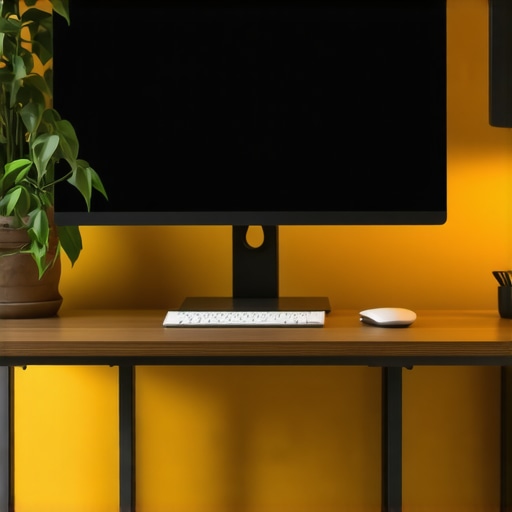
Most expert advice tells you to look straight ahead. That’s actually wrong. Your eyes naturally want to rest at a slightly downward cast. If your monitor is too high, you’re constantly firing the muscles at the base of your skull. If it’s too low, you’re in a perpetual C-curve. I found that setting the top third of the screen at eye level created a sweet spot where my gaze stayed neutral. Once I learned how to adjust your monitor to stop that burning neck pain, the knots under my shoulder blades finally started to dissipate. It was like taking a heavy backpack off after a long hike.
The Simple Rule to Keep Your Eyes from Hijacking Your Neck
You’ve probably heard of the 20-20-20 rule, but for chronic pain sufferers, it needs an upgrade. Every 20 minutes, look 20 feet away, but also perform a physical reset. I call it the Eye-Neck Decouple. While looking at that distant object, perform the 30-second neck tuck to stop tension headaches at your desk. This forces your deep neck flexors to wake up and tells your brain that it doesn’t need to hold your head up with your jaw and eyes. This is why why your body needs micro-breaks every 20 minutes to stay mobile isn’t just about blood flow—it’s about neural recalibration.
I remember a Tuesday about three weeks into this new routine. I was deep into a project, the kind that usually leaves me feeling like I’ve been in a car wreck by 4 PM. I reached up to rub that old knot, and it… wasn’t there. For the first time in years, my muscles weren’t guarding against my own vision. If you’re struggling with more than just the neck, like lower extremity issues, you might need unlocking mobility: expert tips on managing back pain in 2025 to see how these small adjustments ripple down the spine. The goal is to stop reacting to pain and start engineering your environment to prevent it.
Check Your Lenses Before You Check Your Posture
If you wear progressives or bifocals, you are likely tilting your chin up to see through the bottom of the lens. This is a disaster for your upper cervical spine. I didn’t realize why your reading glasses are forcing your neck into a painful crane until I switched to a dedicated pair of computer glasses with a single vision focal point. The difference was night and day. You can do all the stretches in the world, but if your glasses are making you tilt your head back, you’re fighting a losing battle. It’s about finding those neck pain solutions: proven techniques to regain your range of motion that actually address the root cause.
While fixing your vision is a huge piece of the puzzle, there’s another trap most people fall into: they try to force “perfect” posture. I see it all the time. People sit bolt upright like they have a broomstick taped to their spine. But here’s the contrarian truth: why your perfect sitting posture is making you stiffer is that your body wasn’t designed to be a statue. Movement, even “imperfect” movement, is better for your discs than rigid alignment. When you hold yourself too tightly, you create a state of constant muscle guarding that actually restricts blood flow to your nerves. I fell into this trap myself when I started dealing with lower back issues. I thought if I just sat “right” and stretched enough, the pain would vanish. But I was making a classic “oops” mistake: I was stretching my hamstrings to fix my back. If you have any nerve irritation, why stretching your hamstrings often makes your sciatica worse is because you’re literally yanking on a sensitized nerve like it’s a rubber band. It doesn’t need to be lengthened; it needs to be calmed down.
Is my leg pain actually a disc or just a stubborn knot?
This is the million-dollar question for anyone over 30. We often assume a sharp pain in the glute is just a “tight muscle” and go to town on it with a lacrosse ball. However, if the issue is coming from your spine, that “knot” is actually a protective reflex. You have to learn how to tell if your leg pain is sciatica or a deep muscle knot before you start digging into the tissue. Aggravating a nerve that’s already under pressure from a disc is like poking a hornet’s nest. A study published in the Journal of Orthopaedic & Sports Physical Therapy highlights that “neural tension” is often mistaken for muscle tightness. If you try to stretch through neural tension, the nerve responds by tightening even more to protect itself. This is why you should stop pulling your knees to your chest for back relief if you feel a sharp zing or increased numbness. It’s a common mistake that turns a minor flare-up into a weeks-long crisis.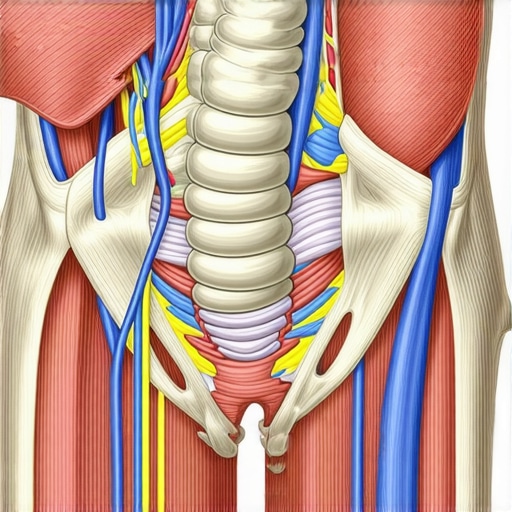 Instead of aggressive stretching, focus on back pain breakthroughs: navigating your path to restored mobility that emphasize gentle decompression and nerve glides. These micro-movements allow the nerve to slide through the surrounding tissue without being stretched to its breaking point. Have you ever tried to “stretch away” your pain only to have it come back twice as bad the next day? You’ve likely fallen into this neural tension trap. Let me know in the comments if this sounds like your experience. Ultimately, overcoming sciatica: top lifestyle changes for better quality of life isn’t about doing more exercises; it’s about doing the right ones. It’s about understanding that your body uses pain as a signal, not as a challenge to be beaten into submission with a foam roller. When you stop fighting your anatomy and start working with your nervous system, the results are almost immediate.
I stopped relying on my willpower to sit up straight about two years ago. It’s a losing battle. Instead, I started building an environment that wouldn’t let me fail. If you’re tired of the cycle of relief and relapse, you have to move beyond the occasional stretch and look at the gear you use for eight hours a day. For me, the game-changer wasn’t the most expensive chair on the market; it was a high-quality gas-spring monitor arm. This tool allows for true dynamic movement. If I start to feel a twinge, I don’t just shift my weight; I move the entire screen. This is a core part of enhance your back mobility: ergonomic tips for everyday comfort because it prevents your eyes from locking your neck into a single, rigid position for hours.
The Gear I Actually Keep on My Desk
I also keep a simple tennis ball or a specialized mobility ball right next to my mouse. Whenever I’m on a long call, I kick off my shoes and start the daily foot massage habit that relaxes your entire back. It sounds disconnected, but the fascia on the bottom of your feet is linked directly to your hamstrings and lower back. If those are tight, your neck will feel it eventually. I’ve found that this kind of “passive” maintenance is far more effective than trying to carve out an hour for the gym when I’m already exhausted. It’s about learning how to stay mobile while working in a small home office without needing a full-scale renovation.
How do I maintain my spinal health over the long haul?
Consistency beats intensity every single time. I’ve realized that why maintenance care is better than waiting for a spinal crisis is the difference between thriving and just surviving. I use a software tool called f.lux to manage my screen’s color temperature, which significantly reduces the eye strain that causes me to lean forward. Research from the Cornell University Human Factors and Ergonomics Laboratory suggests that the best posture is always your next posture. This means your tools should encourage movement, not restrict it. I also set a recurring timer for the 30-second drill to open your chest after hours of typing to ensure I’m not slowly turning into a human pretzel as the day goes on. 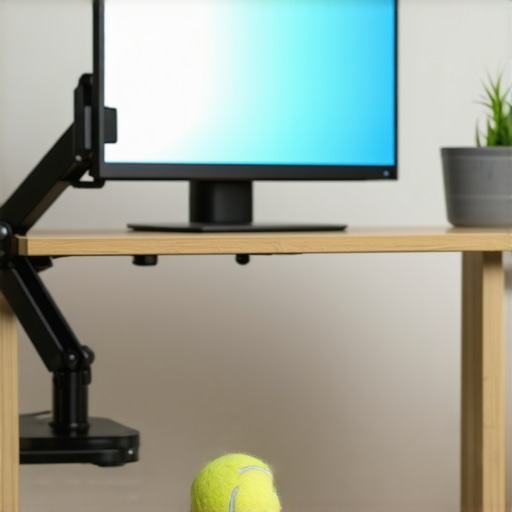
The Future of Spine Tech is Personal
Looking ahead, I predict we are going to see a massive shift toward wearable haptic feedback. We are already seeing prototypes of “smart” shirts that gently vibrate when your breathing becomes shallow or your shoulders begin to round. This real-time biofeedback will eventually replace the need for rigid ergonomic setups. Until then, you have to be your own sensor. Incorporating mobility mastery: daily tips to keep your spine and joints healthy into your digital workflow is the only way to stay ahead of the curve. If you’re feeling stuck right now, I want you to try one thing: download a blue-light filter or adjust your monitor height by just two inches today. See if that burning sensation under your shoulder blades doesn’t start to fade by the weekend. Don’t forget that a quick the 10-second hip reset for relief after sitting can be the reset button your nervous system is screaming for.
What I Wish Someone Told Me Before I Bought That Ergonomic Chair
Looking back at years of chronic tension, the biggest lightbulb moment wasn’t about a specific exercise; it was realizing that my brain views vision as a survival priority. I used to think I was just “lazy” with my posture, but in reality, my eyes were forcing my neck to crane forward to resolve blurred text. If you find yourself constantly resetting your shoulders, ask yourself: is my screen clear enough to let me sit back? I also learned that the fix for that constant burning sensation between your shoulder blades often starts with your focal point, not your rhomboids.
Another hard truth? You can’t foam roll your way out of a nerve that is being pinched by your monitor height. I spent months aggravating my system because I didn’t know neck pain solutions: innovative strategies for fast recovery require a stable visual environment first. Once your eyes are calm, your muscles can finally stop guarding and let the inflammation subside.
#IMAGE_PLACE_HOLDER_E#
The Gear That Actually Stays on My Desk
I have tested dozens of gadgets, but only a few made the cut for my daily workflow. First, a high-quality monitor arm is non-negotiable for anyone serious about mobility mastery: daily tips to keep your spine and joints healthy. It allows you to change your posture throughout the day without losing your visual sweet spot. Second, I swear by simple blue-light filtering software to reduce the squinting that leads to “turtle neck.” Finally, I keep a tennis ball under my desk for the daily foot massage habit that relaxes your entire back. It is the most low-tech way to keep your posterior chain loose while you answer emails.
A Future Where Your Neck Does Not Rule Your Life
You do not have to live with a neck that feels like a rusted hinge every single afternoon. By making small, intentional shifts in how you interact with your screen, you are telling your nervous system it is safe to let go of that protective tension. Remember that why maintenance care is better than waiting for a spinal crisis is the philosophy that keeps you mobile for decades, not just days. Start by moving your monitor two inches higher today and see how your body responds. You deserve to finish your workday without feeling like you have been in a wrestling match. Have you ever noticed your neck pain getting worse after a long day of staring at small spreadsheets or tiny fonts? Let me know in the comments below!