
How your monitor height is causing those recurring headaches

It was 3:15 PM on a Tuesday, and I was staring at my screen through a haze of throbbing pain. I’d already downed three cups of coffee and two ibuprofen, but that dull ache at the base of my skull just wouldn’t budge. I was convinced I had some mysterious illness or that I just wasn’t cut out for office life anymore. For months, I blamed my workload and my hydration, never once looking at the glowing rectangle right in front of my face. I made the classic mistake of investing in a high-end ergonomic chair while leaving my monitor sitting flat on the desk, forcing me to slouch for eight hours straight. It turns out, I was literally looking down at my problems. Most of us are unknowingly forcing our necks into a ‘turtle’ position, and your brain is paying the price in the form of relentless tension. Today, we are going to fix your setup so you can finally finish a workday without feeling like your head is in a vice. Have you ever felt that specific burning sensation crawl from your shoulders up to your temples by mid-afternoon? [IMAGE_PLACEHOLDER]
The Sneaky Way Your Desk Setup Triggers Migraines
I used to think that as long as I was sitting up relatively straight, I was fine. I was wrong. When your monitor is too low, your chin naturally drops and your head drifts forward. This creates a massive mechanical disadvantage for your upper spine. According to research published in Surgical Technology International, for every inch your head tilts forward, the effective weight on your neck increases by about 10 pounds. If you are leaning in to read small text on a low screen, your neck might be supporting 40 or 50 pounds of pressure! This strain is a primary driver of why poor posture leads to chronic pain and tension. I spent years ignoring this, thinking my ‘stiff neck’ was just part of getting older. But once I realized how my neck pain and stress were being fueled by my screen position, everything changed. You can try the 30-second neck tuck to reset occasionally, but if the monitor doesn’t move, the pain will always come back.
Can a Few Inches of Screen Height Really Stop the Pain?
You might be skeptical that something as simple as a stack of books or a monitor riser could solve a problem that feels so deep and structural. I get it. I used to think I needed a chiropractor every week or a daily massage to survive. But the reality is that you cannot out-stretch a bad environment. If you don’t learn how to adjust your monitor to stop that burning neck pain, you are just treating symptoms while the cause sits right on your desk. By raising that screen, you allow your cervical spine to stack naturally over your shoulders, taking the ‘heavy lifting’ off those tiny suboccipital muscles at the base of your skull. It sounds too simple to work, but for me, it was the difference between a productive evening and a night spent in a dark room with a cold compress.To start, you need to find the sweet spot where your eyes naturally land. Sit back in your chair, close your eyes, take a deep breath, and then open them. You should be looking directly at the top third of your monitor. I remember the first time I tried to ‘fix’ my setup; I used a stack of dusty tax return folders because I didn’t want to buy a riser yet. It looked ridiculous, and midway through a client call, the whole stack slid sideways, nearly taking out my coffee. But for those two hours before the collapse? My neck didn’t throb once. That was the ‘aha’ moment. When you hit that height, you stop the ‘turtle’ habit that is the real reason your phone habits and desk posture are creating a neck hump.
Find the Sweet Spot Between Your Eyes and the Screen
The rule is simple: the top of the actual screen—not the plastic frame—should be at or slightly below eye level. This ensures that as you scan down the page, your head stays neutral. If you have to tilt your chin up, you are compressing the joints at the top of your neck. If you tilt down, you are straining the muscles at the bottom. Getting this right is a cornerstone of mobility mastery. I recommend using a dedicated monitor arm if your desk allows it, as it gives you the flexibility to adjust on the fly when your posture shifts in the afternoon.
Stop Looking Down at Your Laptop Every Single Day
Laptops are the ultimate ergonomic villains because the keyboard and screen are fused together. To fix this, you must treat the laptop as just a screen. Elevate it on a stand until it meets the eye-level criteria, and then—this is the non-negotiable part—plug in an external keyboard and mouse. 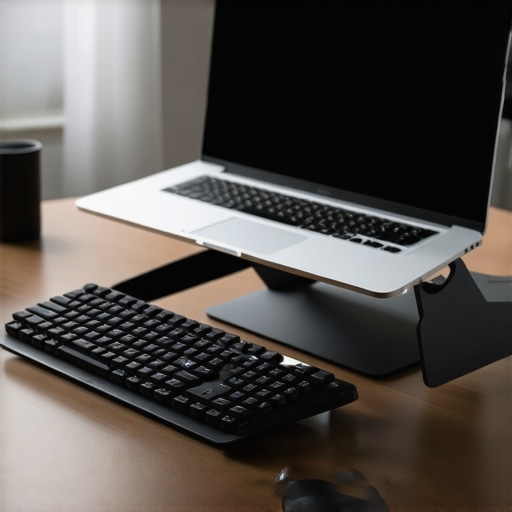 Without an external keyboard, you’ll just trade neck pain for wrist strain, and you’ll still end up slouching to reach the keys. This simple split is one of the most effective ergonomic tips for everyday comfort.
Give Your Cervical Spine Some Breathing Room
Beyond height, depth matters. Your monitor should be about an arm’s length away. If it’s too far, you’ll unconsciously lean your head forward to see better, negating all the work you did to raise the screen. This forward lean is exactly how poor posture leads to chronic back pain and tension. If you find yourself leaning in anyway, it might be time to increase your font size or check if your vision is the hidden cause of your neck leaning. Finally, remember that even a perfect setup can’t save you if you stay frozen for four hours. Implement the 20-20-20 rule to give your eyes and suboccipital muscles a break. This isn’t just about comfort; it’s about revitalizing your neck before the damage becomes permanent.Here is where most people get it wrong: they think there is a ‘perfect’ posture they can hold forever. I used to be obsessed with sitting like a statue, back straight and shoulders pinned. But the truth is, why your perfect sitting posture is making you stiffer is because your body is designed for movement, not static load. If you stay in one ‘perfect’ position for four hours, your tissues still starve for blood flow.
The Hamstring Stretching Trap You Need to Avoid
Another massive myth? The idea that tight hamstrings are always the culprit for lower back pain. I see people cranking on their hamstrings every morning, yet why stretching your hamstrings often makes your sciatica worse is a nuance most miss. If your ‘tightness’ is actually neural tension—the sciatic nerve being tugged—stretching it like a muscle just inflames the nerve further. You don’t need a stretch; you need a nerve glide. 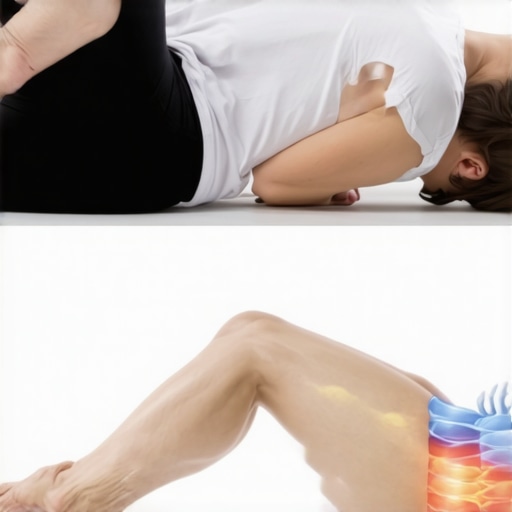
Why does your back still hurt despite all that core work?
I hear this all the time: ‘I do planks every day, so why does my back still ache?’ The trap here is thinking strength equals power. According to spinal biomechanics expert Dr. Stuart McGill, true spinal health comes from muscular endurance and ‘stiffness’ at the right times, rather than just raw abdominal strength. If you have a ‘strong’ core but your hips are locked tight, your lower back becomes the pivot point for every movement. This is why your core strength won’t fix your back if your hips are locked. You are essentially asking a flexible hinge to do the work of a frozen joint.
Stop Rounding Your Spine for Temporary Relief
There is a specific ‘oops’ factor I see with people trying to self-treat. When your back feels tight, the instinct is to round forward or pull your knees to your chest. While it feels good for 10 seconds, you should stop pulling your knees to your chest for back relief if you suspect a disc issue. This ‘C-shape’ posture can actually increase intradiscal pressure. It is a temporary relief that often leads to back pain signs that are actually serious. Instead of chasing a ‘stretch,’ focus on creating a stable environment where your nerves aren’t being pinched. Have you ever fallen into this trap of stretching a ‘tight’ muscle only to have it feel worse the next day? Let me know in the comments.It took me three years of trial and error to realize that a fancy chair is only 20% of the solution. The rest is about the small, intentional tools you keep within arm’s reach. I’ve spent thousands on ergonomic gadgets, but the most effective tool for my lower back cost exactly four dollars at a local sporting goods store. I’m talking about a standard lacrosse ball. While a foam roller is great for broad strokes, it’s far too blunt for the deep tissues around the hip. If you’ve ever felt that sharp, radiating pull down your leg, learning how a simple tennis ball can fix deep glute tension is a absolute necessity. I use it for two minutes every evening to pin-point the piriformis muscle, preventing the tightness that usually leads to a full-blown flare-up.
Stop Using Your Floor and Start Using Your Walls
Most people think mobility work requires a gym mat and thirty minutes of peace. It doesn’t. Some of my most effective resets happen while I’m waiting for my coffee to brew. Dr. Kelly Starrett, author of Becoming a Supple Leopard and a pioneer in movement mechanics, emphasizes the ‘bracing sequence’—a method of stabilizing your spine from the pelvis up before you even sit down. By using a wall to check your alignment, you can perform mobility mastery daily tips to keep your spine and joints healthy without ever breaking a sweat. I personally lean against my office doorframe to open up my chest twice a day; it’s the only way I’ve found to counteract the ‘keyboard slouch’ that fuels neck pain and stress throughout the week. 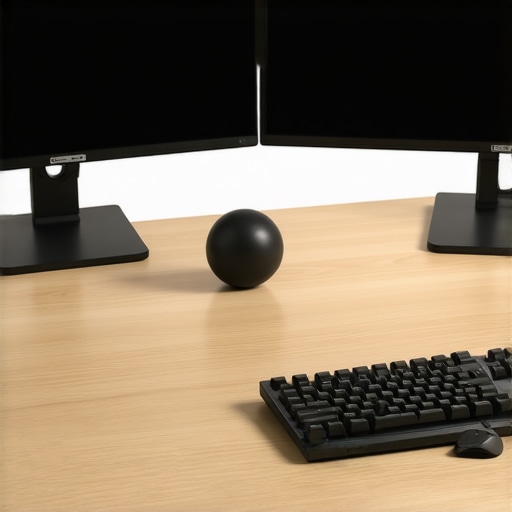
How do I maintain my spine health over time?
Longevity in spine health isn’t about one-off ‘fixes’—it’s about building a system that requires zero willpower. I recommend setting a digital ‘posture chime’ on your computer. Every 60 minutes, it rings, and I perform the nerve glide exercise that calms burning leg pain. This keeps the neural pathways hydrated and prevents that end-of-day stiffness. I predict that within the next five years, we will see ‘Active Ergonomics’ become the standard, where AI-powered desks use haptic sensors to gently nudge our hips into better alignment before we even feel the ache. Until then, why maintenance care is better than waiting for a spinal crisis is a philosophy you have to adopt yourself. You wouldn’t wait for your car engine to smoke before changing the oil; don’t wait for a disc to bulge before you start moving.
The One Tool That Saved My Shoulders
If you work on a dual-monitor setup, stop using the stock plastic stands. They are static, usually too low, and force your neck into a literal grind. I switched to high-tension gas-spring monitor arms. This allows me to shift from sitting to standing—or even just reclining—while keeping the screen perfectly centered. It’s the ultimate way to enhance your back mobility because it encourages micro-movements rather than keeping you locked in a ‘perfect’ (and therefore stiff) position. My advanced tip for you today: next time you stand up from your chair, don’t just walk away. Try the 10 second hip reset for relief after sitting to wake up your glutes. Your lower back will thank you before you even reach the kitchen.[IMAGE_PLACEHOLDER_E]
The Hardest Truths I Learned While Fixing My Spine
I spent years thinking my chronic stiffness was a biological flaw, but the biggest lesson I learned is that my “tight” muscles were actually just screaming for stability. We often mistake neural tension for muscle tightness, leading us to stretch areas that actually need strength and support. Another major lightbulb moment was realizing that chasing a static, “perfect” posture is a trap; your body is designed for movement, and the best posture is always your next posture. I finally understood that these back pain breakthroughs only happen when you stop treating your body like a collection of parts and start treating it as a single, interconnected system. It took me far too long to realize that my desk was a tool I had to master, not just a place where I sat.
The Small List of Tools I Actually Use Every Day
You do not need a thousand-dollar setup to find relief, but a few specific items are non-negotiable for my daily routine. First, the book Becoming a Supple Leopard by Dr. Kelly Starrett changed how I view every joint in my body and is a must-read for anyone serious about movement. Second, I never travel or work without a firm lacrosse ball to target deep glute tension that often mimics sciatic discomfort. For my daily commute, I rely on a lumbar roll to prevent mid-day back fatigue, which keeps my spine in a neutral position while I am stuck in traffic. Finally, for those quick resets at the office, I always turn to the wall-supported move that fixes slumping posture fast to counteract the forward-leaning strain of heavy typing sessions.
Your Body is Ready to Feel Better
It is easy to feel defeated when you have been dealing with an ache for months or even years, but remember that your tissues are incredibly adaptable and resilient. By making small, intentional shifts in your monitor height and incorporating regular movement breaks, you are providing the exact environment your spine needs to heal and thrive. These neck pain solutions are not just about temporary comfort; they are about reclaiming your energy and your focus for the things that matter most. You do not have to live with a head that feels like it is constantly in a vice. Start with just one adjustment today and watch how your body responds with newfound mobility. Have you noticed your neck pain gets worse after a long day of meetings, or is it more of a constant hum? Let me know about your current desk setup in the comments below!