
The 15-degree rule for your computer monitor to save your neck

I remember sitting at my desk three years ago, staring at a spreadsheet, when a sharp, hot needle of pain shot from the base of my skull all the way down to my shoulder blade. I tried to rub it out, but my neck felt like it was made of dry, brittle wood. I was doing everything ‘right’—or so I thought. I had the expensive chair and the monitor was hiked up high on a stack of books because I’d heard ‘eye level’ was the law of the land. I was wrong. That ‘perfect’ setup was actually the very thing grinding my cervical discs into a state of constant inflammation. It wasn’t until I stumbled upon the 15-degree rule that I realized I was fighting a losing battle against physics.
Stop treating your monitor like a television
If you are currently struggling with a dull ache that feels like a tight band around your forehead, your screen placement is likely the culprit. We are often told to sit like statues, but your neck thrives on a slight, natural downward gaze. I learned through trial and error that how your monitor height is causing those recurring headaches is a matter of mechanical leverage. When your screen is too high, you inevitably jut your chin forward to see clearly. This seemingly small movement places an incredible amount of stress on the small muscles at the top of your spine. By positioning the center of your screen roughly 15 to 20 degrees below your horizontal eye line, you allow your neck to maintain its natural curve without the constant ‘tug-of-war’ happening in your trapezius muscles.
Is a few degrees of tilt really going to make a difference?
It sounds almost too simple to be true, doesn’t it? I was incredibly skeptical myself. I figured if my neck was this messed up, I probably needed a new mattress or a professional massage every week. However, the science of biomechanics is pretty unforgiving. According to research published by the New York Spine Surgery and Rehabilitation Medicine, for every inch your head moves forward out of alignment, it adds about 10 pounds of pressure to your neck. If your monitor isn’t angled to meet your natural gaze, you are essentially asking your neck to hold up a bowling ball at arm’s length all day. Have you ever noticed how the real reason your head feels heavy at the end of the day usually coincides with how many hours you spent staring at a screen that was too high?
The day I realized eye-level was a lie
My biggest mistake early on was thinking that ‘straight ahead’ meant ‘healthy.’ I even tried a standing desk, thinking that would be the magic bullet. But because I kept my monitor at that rigid eye level, I just ended up with the truth about standing desks and lower back fatigue—I was trading one type of agony for another. I was trying to force my body to adapt to the furniture rather than making the furniture adapt to my anatomy. The 15-degree rule isn’t just about comfort; it’s about preserving the longevity of your joints. Once I lowered my screen and tilted it slightly upward to meet my eyes, that ‘lightning bolt’ pain simply vanished within a week. Do you find yourself reaching for the heating pad every evening just to unfreeze your shoulders? If so, it’s time to stop guessing and start measuring.
Find your natural horizon first
To fix your setup, you have to stop guessing where ‘eye level’ is. Sit in your chair and let your body settle. Don’t force a military-straight spine, as why your straight posture is actually straining your muscles is often due to over-correcting natural curves. Close your eyes, take a deep breath, and let your head find a comfortable, neutral balance point. When you open your eyes, the exact spot you are looking at on the wall is your ‘natural horizon.’ Most ergonomic guides tell you to put the top of your monitor here, but that is a recipe for disaster. Instead, the center of your screen should live about 15 degrees below that horizontal line. Think of it like reading a book in your lap; you wouldn’t hold the book directly in front of your nose, you would hold it lower and look down with your eyes, not your whole head. Mastery of how to hold a book without straining your cervical discs is the same logic you must apply to your 27-inch monitor.
Drop the screen and tilt it back
Once you have identified your horizon, lower your monitor until your eyes are level with the top edge of the bezel. From there, tilt the bottom of the monitor toward you and the top away from you at a slight upward angle. This angle ensures that even though the screen is lower, the light is hitting your eyes perpendicularly. 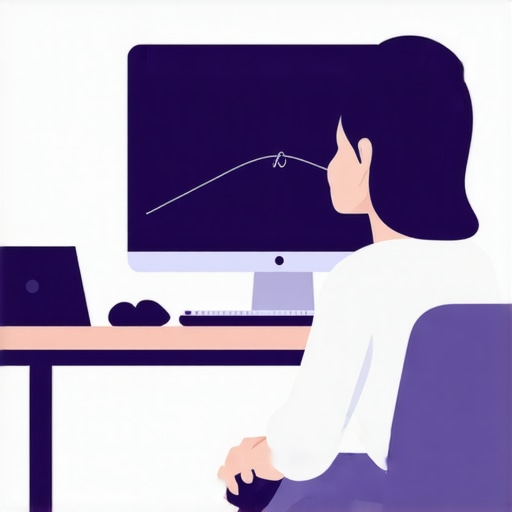 I remember the afternoon I finally gave up on my ‘eye-level’ obsession. I had my monitor propped up on a thick wooden crate, convinced that height equalled health. My neck was screaming. I finally kicked the crate aside, let the monitor drop to the desk surface, and tilted it back like a drafting table. The relief was almost instant. It felt like someone had finally let go of the base of my skull. When your screen is lower, your eyelids naturally drop slightly, which also reduces eye strain and prevents that ‘wide-eyed’ stare that contributes to tension. This shift prevents how a stiff upper back is forcing your neck to move too much by allowing the cervical spine to stay stacked rather than sheared forward.
Your wrists dictate your neck tension
You cannot fix your neck if your arms are reaching. If your desk is too high, your shoulders must shrug to get your hands onto the keyboard. This ‘shrug’ hitches the trapezius muscles, which attach directly into the back of your skull. I’ve seen people spend thousands on monitors only to realize why your wrist position at your desk affects your neck health is the missing link. Your elbows should be at a 90-degree angle, with your wrists floating just above the keys. If you use a standing desk, be wary, as why your standing desk is giving you lower back pain often stems from leaning on the desk to compensate for a monitor that is still too high.
Keep your chin from drifting toward the glass
The final step is the ‘drift check.’ Even with a perfect setup, we tend to lean in as the day progresses. Every hour, perform a gentle chin tuck—pull your ears back so they align over your shoulders. This isn’t a forceful move; it’s a reset. Combining this with neck pain solutions proven techniques to regain your range of motion will ensure your muscles don’t lock into that forward-leaning ‘tech neck’ position. If you feel a headache brewing, try the seated shoulder blade squeeze to kill midday tension headaches to pull your posture back into reality. Stopping the drift is about training your brain to recognize when your chin has moved more than an inch away from your spine.
The deeper I went into the world of ergonomics, the more I realized that the standard advice isn’t just incomplete—it’s often counterproductive. We are told to sit like statues, but the human spine is designed for movement, not a fixed ninety-degree angle. Many people find that even after lowering their screen, they still experience a nagging ache. This is usually because they are forcing a ‘military’ posture that creates isometric tension. I’ve found that why your perfect upright posture is actually tensing your spine comes down to the fact that you are engaging muscles to hold a position rather than letting the furniture support your bones. Real mobility mastery daily tips to keep your spine and joints healthy emphasize variety over rigidity.
Stop stretching your hamstrings to fix your back
One of the biggest ‘traps’ I see people fall into is the belief that a tight back requires aggressive stretching of the legs. If you have any tingling or shooting pain, this is a dangerous game. In fact, why stretching your hamstrings can actually flare up sciatica is a nuance that most beginners miss. When a nerve is irritated, stretching the muscle around it is like pulling on both ends of a frayed rope. Instead of relief, you get more inflammation. A study published in the Journal of Orthopaedic & Sports Physical Therapy suggests that neural mobilization—often called ‘nerve gliding’—is significantly more effective for radiating pain than traditional static stretching. If you feel a ‘tightness’ that won’t go away, you might be dealing with nerve tension, not muscle shorting. 
Could your ‘correct’ posture be the reason you are still in pain?
It sounds contrarian, but the harder you try to be ‘straight,’ the more you might be compressing your vertebrae. I call this the ‘posture paradox.’ When we try to force a straight spine, we often over-activate the paraspinal muscles, leading to fatigue and those familiar knots between the shoulder blades. I learned that why your straight posture is actually straining your muscles is due to the loss of natural shock absorption. Your spine needs its curves. Instead of bracing, focus on breathing. Learning how a simple breath reset can calm a back spasm is often more effective than any ergonomic chair on the market. Have you ever fallen into this trap of trying to sit ‘perfectly’ only to end up more stiff than when you started? Let me know in the comments. We need to shift the conversation from ‘holding’ a position to ‘flowing’ through our workday.
Switch to a gas-spring arm for micro-adjustments
If you are still using a stack of books to prop up your screen, you are missing out on the most important aspect of ergonomics: variability. I eventually invested in a high-quality gas-spring monitor arm, and it changed the game because it allowed me to change the height and angle of my screen as my energy shifted throughout the day. In the morning, when my spine is at its longest, I have the screen slightly higher. By 4 PM, I might lower it half an inch and increase the tilt. This prevents your muscles from becoming ‘locked’ into one single pattern. Even the best setup can become a source of strain if you stay in it for eight hours straight. According to technical standards established by NASA’s Neutral Body Posture (NBP) research, the body has a specific natural resting position in microgravity that we should try to emulate to reduce musculoskeletal stress. A monitor arm is the only way to truly find that ‘sweet spot’ where your eyes and neck align without force.
Why I keep a tennis ball in my desk drawer
Hardware is only half the battle; you need tools that address the soft tissue when the day gets heavy. For me, the real secret wasn’t an expensive massager, but a five-dollar tennis ball. I use it for ‘trigger point’ releases during long Zoom calls. I found that how a simple tennis ball can fix deep glute tension is the most efficient way to stop a lower back spasm before it starts. By sitting on the ball and letting it sink into the piriformis muscle, you can release the pressure that often mimics or exacerbates nerve issues. If you are dealing with leg pain, you must also be careful with more aggressive tools, making sure you know how to use a foam roller for sciatica without making it worse. Using these tools for just two minutes every few hours is what prevents a minor ache from turning into a week-long flare-up. 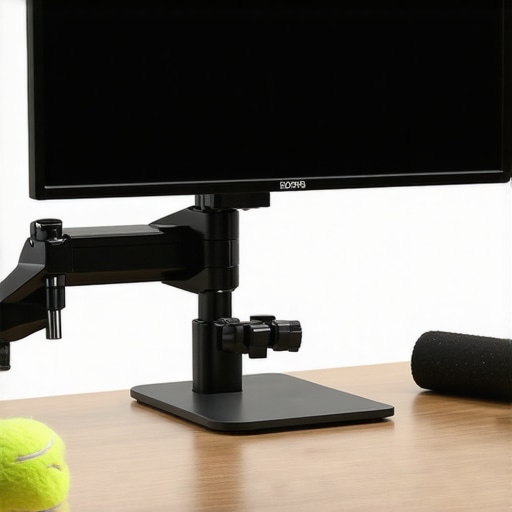
How can I maintain these mobility gains long-term?
Maintenance is about building a ‘body budget.’ You can’t just fix your monitor and expect to be fine forever. It requires a daily commitment to movement variety. I’ve integrated mobility mastery daily tips to keep your spine and joints healthy into my morning routine—simple things like reaching for the ceiling or rotating the thoracic spine. Consistency beats intensity every single time. I’ve also noticed that why your neck tension is making your eyes feel tired is often the first warning sign that my maintenance routine is slipping. If I feel that eye fatigue, I don’t reach for more coffee; I perform the 10-second jaw release that softens your neck muscles to break the tension loop. Looking ahead, I suspect we will see AI-integrated webcams that track our shoulder height and send subtle desktop notifications when we start to slump, turning our workstations into active bio-feedback labs.
Use your car as a posture training ground
The lessons you learn at your desk shouldn’t stay there. One of the most effective ways I scaled my results was by taking my ergonomic awareness into my commute. I highly recommend you learn how to adjust your rearview mirror to improve your driving posture. Once you set your mirror while sitting perfectly upright, it acts as a ‘silent alarm.’ If you can no longer see clearly through the mirror, it means you’ve slumped, providing immediate feedback that you need to reset. This prevents the long-term accumulation of stress that leads to the need for sciatica relief secrets how to banish pain quickly today. I challenge you to try the rearview mirror trick tomorrow morning; you’ll be shocked at how often you find yourself leaning forward into old, painful habits.
What the ergonomics manuals usually miss
Reflecting on my journey, the biggest lightbulb moment was realizing that my body wasn’t ‘broken’—it was just over-adapting to a poorly designed environment. I spent years thinking I needed a surgeon when all I needed was a screwdriver to lower my monitor arm. First, I learned that pain is a signal, not an enemy; it’s your body’s way of asking for a change in position. Second, expensive gear won’t save you if you don’t understand your own anatomy. Lastly, consistency in mobility mastery daily tips to keep your spine and joints healthy is far more valuable than a once-a-month deep tissue massage.
#IMAGE_PLACEHOLDER_E#
The non-negotiables in my daily toolkit
I’ve whittled my setup down to a few essentials that I swear by. A high-quality gas-spring arm is the foundation, allowing for those micro-adjustments that prevent static load. If you’re working on a portable device, knowing how to set up your laptop for better spine protection is a non-negotiable for coffee shop sessions. I also keep a simple lacrosse ball for deep tissue work and frequently use the 30-second wall stretch that releases shoulder blade knots whenever I feel the ‘tech-neck’ creep starting to set in. These aren’t just gadgets; they are my defense system against a sedentary lifestyle.
Start reclaiming your comfort right now
You don’t need to overhaul your entire office in a single day to see results. Sometimes, the most profound relief comes from simply dropping your screen by two inches and letting your shoulders finally find their natural resting place. Your journey toward lasting neck pain solutions proven techniques to regain your range of motion begins with that first small adjustment. Don’t wait for the ‘lightning bolt’ pain to return before you take action. Your future self—the one without the chronic headaches and stiff shoulders—will thank you for the fifteen minutes you spend recalibrating your workspace today. Have you already tried lowering your monitor, or are you still struggling with that ‘eye-level’ ache? Let me know in the comments below!